Did you already install RAMMS?
If No, you have to download and install RAMMS first, before proceeding to the next steps!
If Yes, then do the following:
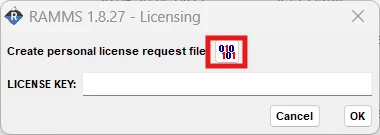
Start RAMMS for the first time, and you will see the following screen, where you have to click the upper right button, to create the license request file:
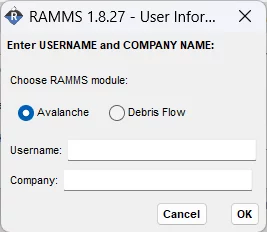
In this window, enter your name and your company name, and then click OK.
Then choose a location to save the license request file (it’s a txt-file).
An informational window will then tell you where you saved your license request file. Attach this file when ordering a license (full, demo or student license).